Lead Funnel and Campaign ROI Tracker in Google Sheets for a Career Coaching Business
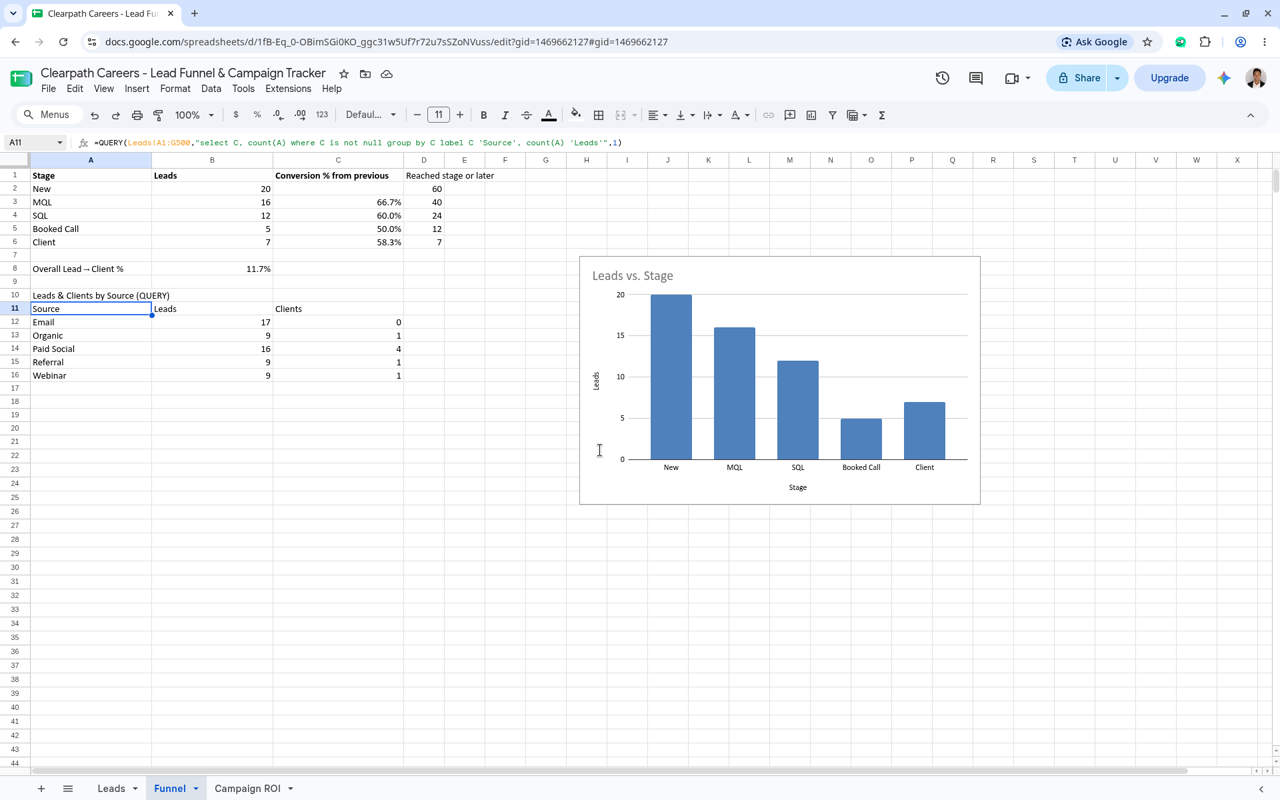
I built a lead funnel and campaign ROI tracker in Google Sheets for Clearpath Careers, a career coaching brand I use to practice marketing ops work. The lead rows are sample data, so the point is the build, not the numbers. The Leads tab holds each lead's source, campaign, stage, score and owner. A dropdown keeps stages consistent (New, MQL, SQL, Booked Call, Client), and conditional formatting flags any lead scoring 70 or higher so sales knows who to call first. The Funnel tab counts leads at each stage with COUNTIF, works out stage-to-stage conversion, and uses QUERY and COUNTIFS to show leads and clients by source, with a chart of the funnel. The Campaign ROI tab pulls leads and clients for each campaign straight from the Leads tab, then calculates cost per lead and cost per client. Spend and pipeline sit side by side, so it's easy to see which campaigns are worth more budget.